
How to Withdraw Money from Cricbet99 – Complete Step-by-Step Guide
Withdrawing money from Cricbet99 is straightforward once you know the steps. The minimum withdrawal is ₹500, UPI transfers complete in 5 to 30 minutes, and there are no hidden fees on any method. Whether you are cashing out your IPL winnings or making your first withdrawal ever, this guide walks you through every step — from logging in to seeing the money arrive in your bank account or UPI app.
Table of Contents
Before You Withdraw — What You Need Ready
Before starting your Cricbet99 withdrawal, make sure the following are in place. Missing any one of these is the most common reason withdrawals get delayed or rejected.

- Your Cricbet99 account is logged in and verified
- KYC documents have been submitted and approved (mandatory before first withdrawal)
- Your withdrawable balance is ₹500 or more (bonus funds do not count)
- Your bank account number, IFSC code, or UPI ID is correct and matches the name on your Cricbet99 account
- You are using the official Cricbet99 website or app not a third-party link
If your KYC is not yet complete, finish that first. Go to your account settings, upload your PAN card, Aadhaar, and bank proof, and wait for approval. This usually takes a few hours. Once approved, withdrawals process smoothly every time.
How to Withdraw Money from Cricbet99 — Step by Step
Follow these steps exactly to withdraw your winnings from Cricbet99.
Step 1. Log in to your Cricbet99 account
Go to the Cricbet99 Login page and sign in using your Cricbet99 ID and password. Complete OTP verification if prompted. If the main site is not loading in your region, try Cricbet99 Green or Cricbet99 Black both use the same account.
Step 2. Open the Wallet or Withdraw section
Once logged in, click on Wallet or Withdraw in the top navigation menu. You will see two balance figures:
- Withdrawable Balance this is real cash you can withdraw right now
- Bonus Balance this is promotional credit that must meet wagering requirements before withdrawal
You can only withdraw from your Withdrawable Balance. If you see funds in Bonus Balance, you need to complete the wagering terms first before those funds become withdrawable.
Step 3. Enter the withdrawal amount
Type the amount you want to withdraw. Make sure it is:
- At least ₹500 (the minimum withdrawal on Cricbet99)
- No more than your available Withdrawable Balance
If you enter an amount below ₹500, the system will show an error. If you try to withdraw more than your available balance, the request will also be rejected automatically.
Step 4. Select your withdrawal method
Choose how you want to receive your money. Cricbet99 supports the following withdrawal methods for Indian users:
| Method | Processing time | Min amount | Best for |
|---|---|---|---|
| UPI (Google Pay, PhonePe, Paytm UPI) | 5 – 30 minutes | ₹500 | Fastest — everyday use |
| IMPS Bank Transfer | 15 min – 3 hours | ₹500 | Medium to large amounts |
| NEFT Bank Transfer | Up to 24 hours | ₹500 | Traditional banking |
| Paytm Wallet | 1 – 4 hours | ₹500 | Paytm users |
UPI is the fastest and most convenient option for most Indian users. If you deposited via UPI, withdrawing via UPI is also the method most likely to process without additional verification checks.
Step 5. Enter your payment details
Fill in your payment information carefully. This is the step where most errors happen.
For UPI withdrawal: Enter your exact UPI ID for example yourname@upi or yourname@oksbi. Even one wrong character will cause the transfer to fail or send money to the wrong account.
For bank transfer (IMPS or NEFT):
- Account holder name — must exactly match the name on your Cricbet99 profile
- Bank account number — double-check each digit carefully
- IFSC code — the 11-character code found in your cheque book or bank app
- Bank name and branch — enter exactly as shown in your bank account details
Most Common Cause of Rejected Withdrawals
A mistake in the account number, IFSC code, or a name mismatch is the number one reason Cricbet99 withdrawals get rejected. Always double-check every field before hitting Submit a 10-second review can save hours of waiting.
Step 6. Confirm and submit the request
Review the amount, method, and payment details one final time. Click Submit or Withdraw to place the request. Some accounts will receive an OTP confirmation at this stage enter it within 60 seconds to authorize the withdrawal. Once confirmed, your request enters the processing queue immediately.
Step 7. Wait for processing
Your Cricbet99 withdrawal is now submitted. Here is when to expect the funds:
- UPI:5–30 minutes for verified accounts
- IMPS:15 minutes to 3 hours
- NEFT:Up to 24 hours — slower on weekends and bank holidays
- Paytm Wallet:1–4 hours
You will receive a notification when the withdrawal is processed. The funds will appear in your bank app, UPI history, or Paytm wallet once the transfer is complete.
Cricbet99 Withdrawal Methods — Which One Should You Use?

UPI Withdrawal RECOMMENDED
UPI is the best choice for most Cricbet99 users in India. It works with Google Pay, PhonePe, Paytm UPI, and BHIM. Most UPI withdrawals complete within 5 to 30 minutes when your KYC is verified and your UPI ID is entered correctly.
When to choose UPI: any withdrawal up to ₹1 lakh, when you want money quickly, or for your first withdrawal.
IMPS Bank Transfer
IMPS (Immediate Payment Service) is a real-time bank transfer that works 24/7 including weekends. It is a good option for larger withdrawals where you want the money directly in your bank account. Processing typically completes within 15 minutes to 3 hours.
When to choose IMPS: withdrawals above ₹50,000 or when you prefer money directly in your bank account.
NEFT Bank Transfer
NEFT (National Electronic Funds Transfer) is processed in batches and is the slowest option. It is not real-time and may not be available on bank holidays or very late at night.
When to choose NEFT: only when IMPS is not available on your account, or for very large institutional transfers.
Paytm Wallet
If you use Paytm regularly, withdrawing to your Paytm wallet is convenient. Funds arrive within 1 to 4 hours and can be spent immediately or transferred to your bank account within the Paytm app.
When to choose Paytm Wallet: when you prefer managing money through Paytm or want to avoid direct bank processing.
Cricbet99 Withdrawal Limits and Fees
Here are the key withdrawal rules to know before submitting your request:
- Minimum withdrawal:₹500 per transaction on all methods
- Maximum per transaction:Check your account dashboard — limits may vary by account verification level
- Daily withdrawal limit:Displayed in your wallet section after login
- Withdrawal fees:Cricbet99 charges no fees. Your bank may apply standard IMPS or NEFT charges per their own policy.
- Bonus funds:Cannot be withdrawn directly. Only your real cash Withdrawable Balance is eligible for cashout.
- KYC:Mandatory before your first withdrawal. One-time process — once approved, all future withdrawals are unrestricted.
KYC Verification — Why It Is Required Before Withdrawal
Cricbet99 requires KYC (Know Your Customer) verification before processing your first withdrawal. It protects you from fraud, ensures your money goes to the right person, and makes all future withdrawals faster and smoother. KYC is a one-time process — once approved, you do not need to submit documents again.
Documents required for Cricbet99 KYC:
- Identity proof (any one):PAN Card, Aadhaar Card, Driving Licence, or Passport
- Address proof (any one):Aadhaar Card, recent utility bill, or bank statement dated within 3 months
- Bank proof (any one):Cancelled cheque, bank passbook photo, or account statement
- Identity selfie:A live photo of yourself holding your PAN Card and a paper with “Cricbet99 KYC” and today’s date written on it
Tips for Faster KYC Approval
Make sure the name on all documents exactly matches your Cricbet99 account name. Upload clear, unblurred photos — image quality issues are the most common reason for KYC rejection. Complete KYC as early as possible, not when you urgently need to withdraw.
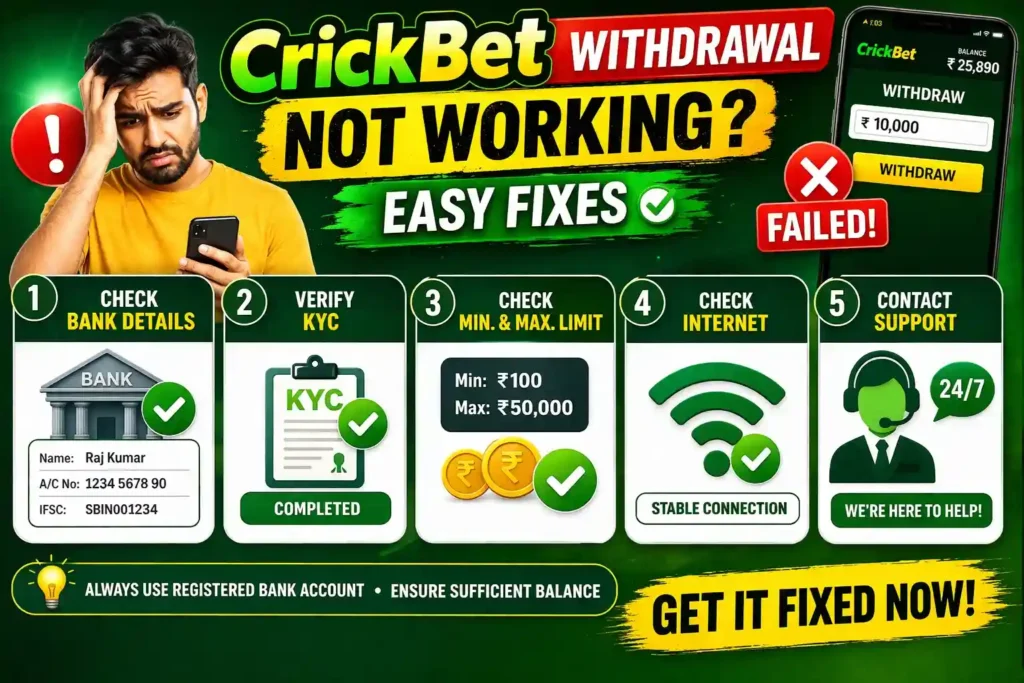
Cricbet99 Withdrawal Not Working? Fix It Here
If your Cricbet99 withdrawal is pending, rejected, or not showing up in your bank, here are the most common causes and how to fix each one.
1. Withdrawal is pending for a long time
Possible causes:
- Request made outside standard NEFT banking hours
- Bank system delays due to high traffic — common during IPL match evenings
- Manual security review triggered for a large or unusual withdrawal amount
What to doWait for the full processing window — up to 24 hours for bank transfers. Check whether your wallet status shows Processing, Approved, or Failed. If it has been more than 24 hours and still shows Processing, contact Cricbet99 support with your withdrawal reference number and a wallet screenshot.
2. Withdrawal rejected or failed
Possible causes:
- Wrong UPI ID entered — even one character error fails the transfer
- Account holder name on bank account does not match your Cricbet99 profile name
- Attempting to withdraw bonus funds before completing wagering requirements
- KYC not yet fully verified and approved
What to do Check your wallet for the rejection reason. Correct your payment details if there was an input error, complete any outstanding wagering on bonus funds, or submit KYC if pending. Resubmit the withdrawal request after resolving the issue.
3. Money deducted from wallet but not received in bank
This happens when the withdrawal has left Cricbet99’s system but is still in transit through the payment network. Most common with NEFT and IMPS during peak hours.
What to doNote the UTR or withdrawal reference number from your Cricbet99 wallet history. After the full processing window, if funds have not arrived, contact Cricbet99 support with: your Cricbet99 ID, withdrawal amount and date, UTR number, and a wallet screenshot showing the deduction.
4. Minimum amount error
If you see “Minimum withdrawal not met” increase your withdrawal amount to at least ₹500 and resubmit. The amount entered is below the minimum threshold.
5. Site not accessible to place withdrawal
If the main Cricbet99 domain is not loading, your wallet and withdrawal are still accessible via alternate domains — same account, same wallet:
- Cricbet99 Green — official alternate domain
- Cricbet99 Black — official alternate domain
- Cricbet99 Red — official alternate domain
Safe Withdrawal Tips for Cricbet99 Users in India
- Only withdraw to accounts in your own name. Your bank account, UPI ID, or Paytm wallet must be registered in the same name as your Cricbet99 account. Withdrawals to third-party accounts are flagged for security review and can lead to delays or account suspension.
- Use UPI for your first withdrawal. UPI is the fastest method and the most commonly used by Indian Cricbet99 users. Your first successful UPI withdrawal establishes your payment method on record, which makes all future withdrawals faster.
- Never share your OTP or login details. Cricbet99 support will never ask for your account password, OTP, or full bank account details over chat or phone. Anyone asking for these is impersonating support. Report such contacts immediately to support@crickbet99.com.
- Withdraw via the same method you deposited with. When possible, use the same payment method for withdrawal that you used to deposit. This reduces the likelihood of additional security checks and speeds up the approval process.
- Complete KYC early — do not wait. KYC takes a few hours to approve. Completing it at registration means your first withdrawal processes immediately without any hold. Waiting until you urgently need to cash out means waiting for KYC approval first.
- Double-check payment details every time. A wrong UPI ID, incorrect IFSC code, or mismatched account name is the top cause of rejected withdrawals. Spend 10 extra seconds reviewing before hitting Submit.
How to Contact Cricbet99 Withdrawal Support
If your withdrawal issue cannot be resolved by following the steps above, contact the Cricbet99 support team. Support is available 24/7 via live chat, WhatsApp, Telegram, and email.
To get the fastest resolution, have this information ready before contacting support:
- Your Cricbet99 ID and registered mobile number
- The exact withdrawal amount and date of the request
- The withdrawal method selected — UPI, IMPS, NEFT, or Paytm
- Your UPI ID or bank account number (last 4 digits only for security)
- The UTR or transaction reference number from your Cricbet99 wallet
- A screenshot of your wallet showing the withdrawal status
Need help with your withdrawal?
Our support team is available 24/7 in Hindi and English.
FAQs Cricbet99 Withdrawal
How long does a Cricbet99 withdrawal take?
UPI withdrawals complete in 5 to 30 minutes. IMPS bank transfer takes 15 minutes to 3 hours. NEFT can take up to 24 hours. Paytm wallet withdrawals complete within 1 to 4 hours. All times assume your KYC is verified and payment details are entered correctly.
What is the minimum withdrawal amount on Cricbet99?
The minimum withdrawal on Cricbet99 is ₹500 per transaction. This applies to all methods — UPI, IMPS, NEFT, and Paytm wallet.
Does Cricbet99 charge withdrawal fees?
No. Cricbet99 does not charge any withdrawal fees on UPI, IMPS, NEFT, or Paytm methods. Your bank may apply standard transfer charges as per their own policy — this is outside Cricbet99’s control.
Why was my Cricbet99 withdrawal rejected?
The most common reasons are: incorrect UPI ID or bank account details, account holder name mismatch between your bank and Cricbet99 profile, attempting to withdraw bonus funds before wagering requirements are met, or KYC verification not yet completed. Fix the relevant issue and resubmit your request.
Can I withdraw Cricbet99 bonus money?
No. Bonus funds cannot be withdrawn directly. You must first complete the wagering requirements associated with the bonus. Only your real cash Withdrawable Balance — shown separately in your wallet — can be cashed out at any time.
How do I check my withdrawal status on Cricbet99?
Log in to your Cricbet99 account, go to Wallet or Transaction History, and locate your withdrawal request. The status will show as Processing, Approved, Completed, or Failed. If it shows Failed, the rejection reason is usually displayed alongside.
What happens if my withdrawal is not received after 24 hours?
If 24 hours have passed and your funds have not arrived, contact Cricbet99 support with your UTR number and a screenshot of your wallet. The support team will trace the transaction and provide a status update or initiate a resolution.
Is it safe to withdraw money from Cricbet99?
Yes. Cricbet99 uses encrypted connections and established Indian payment partners — UPI, IMPS, NEFT, and Paytm — to process all withdrawals securely. Always use the official website or app and never share your OTP or login details with anyone.
Can I withdraw from Cricbet99 without completing KYC?
No. Full KYC verification is mandatory before your first Cricbet99 withdrawal. You can deposit and bet without KYC, but the withdrawal function is locked until your identity documents are verified and approved.
What is the fastest way to withdraw from Cricbet99?
UPI is the fastest withdrawal method on Cricbet99. Most UPI withdrawals to verified accounts complete within 5 to 30 minutes. Make sure your UPI ID is entered correctly and your KYC is approved to get the fastest processing time.

Pingback: Deposit Money on CricBet99 in Easy Steps
Pingback: Diam247 vs Cricbet99 | Diam247 Login | Join Now
Pingback: Cricbet99 ID – What It Is and Why You Need One